
多标签整理
Multi-tab organization
按工作、学习或项目分组,并在标签内继续使用文件夹整理。
Group by work, study, or project, then organize further with folders inside each tab.
把常用 App、文件、文件夹和网址收进一个轻量面板,用标签页、快捷键与边缘唤醒快速进入下一件事。
Keep apps, files, folders, and URLs in one lightweight panel with tabs, shortcuts, and edge activation for your Mac.
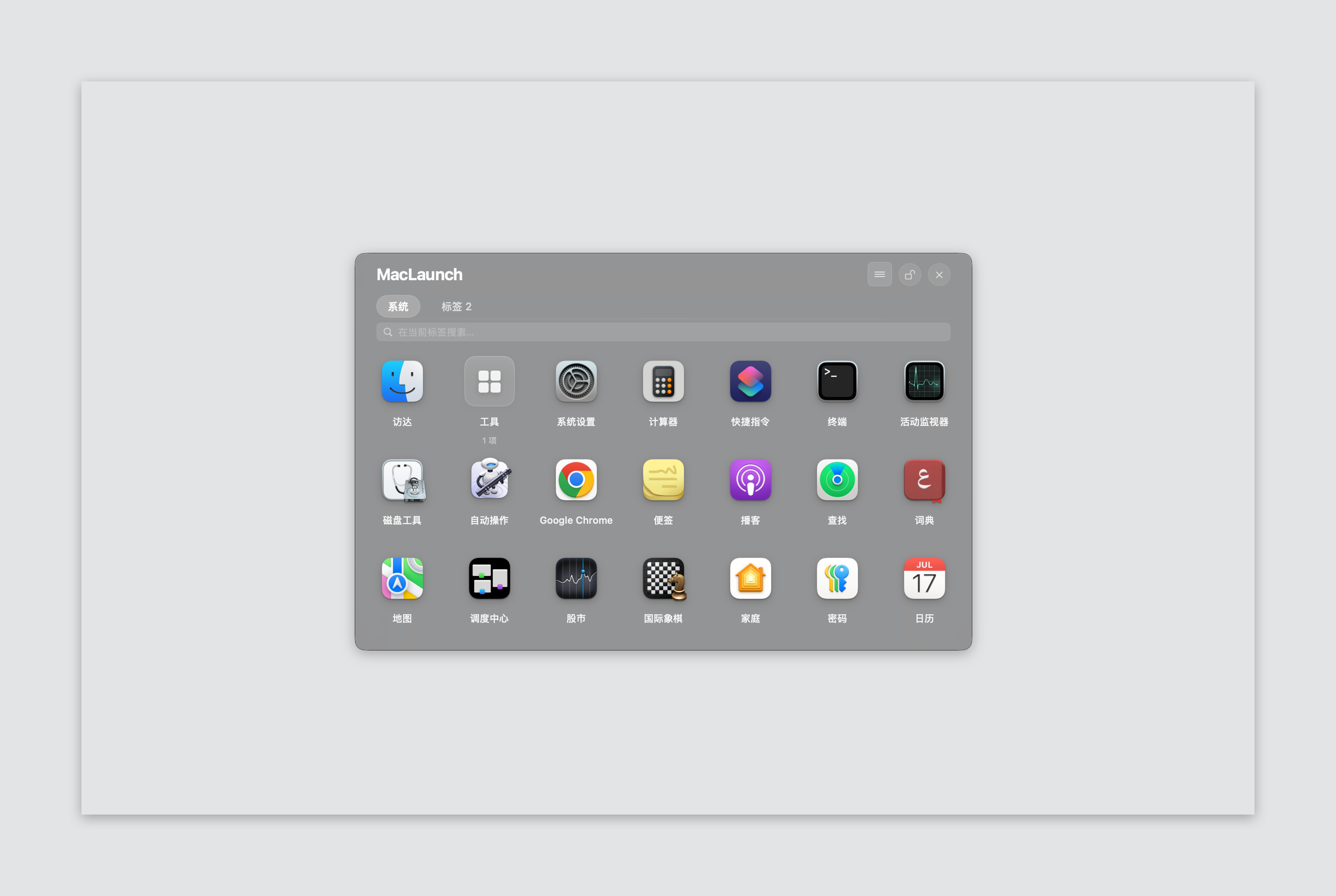
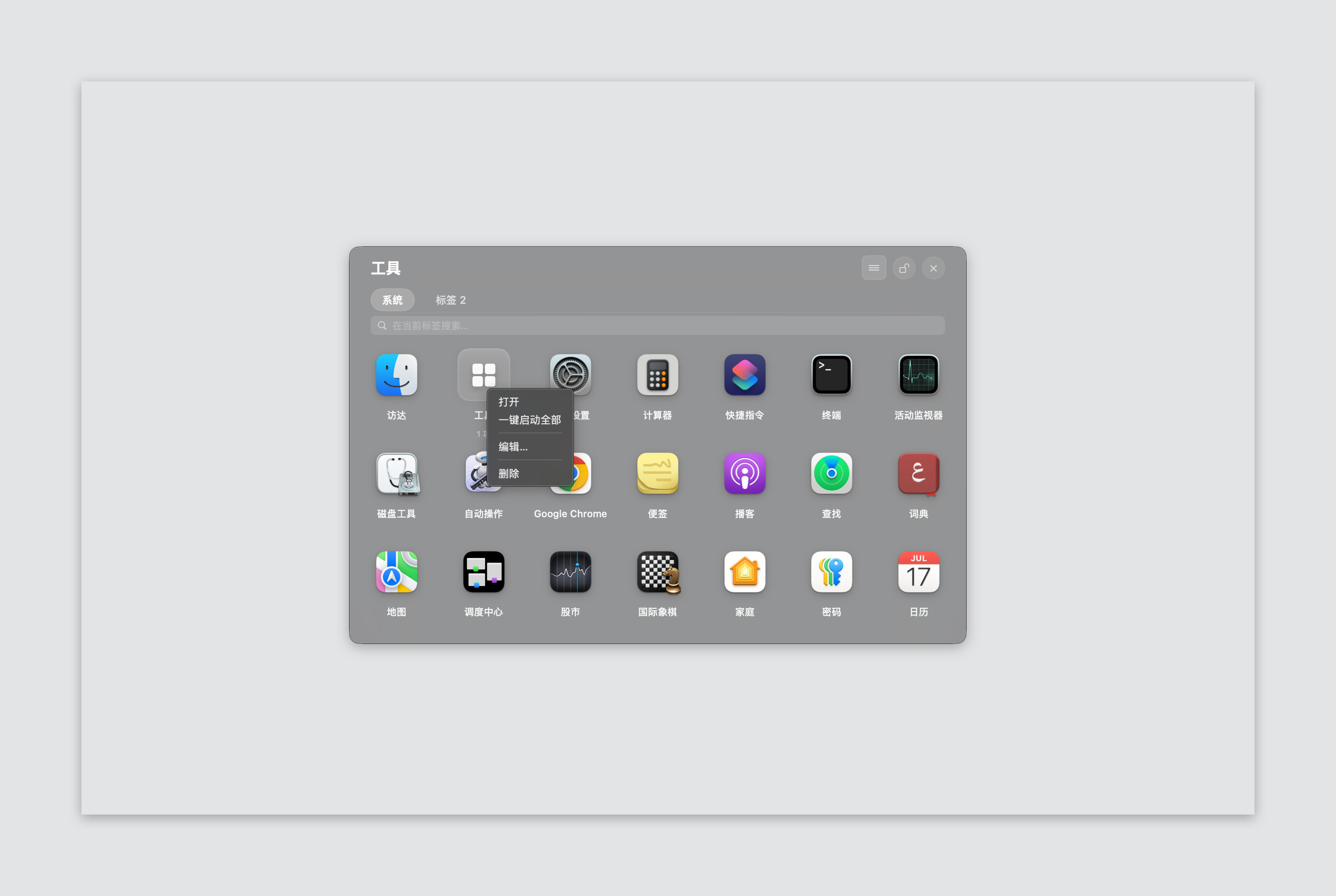
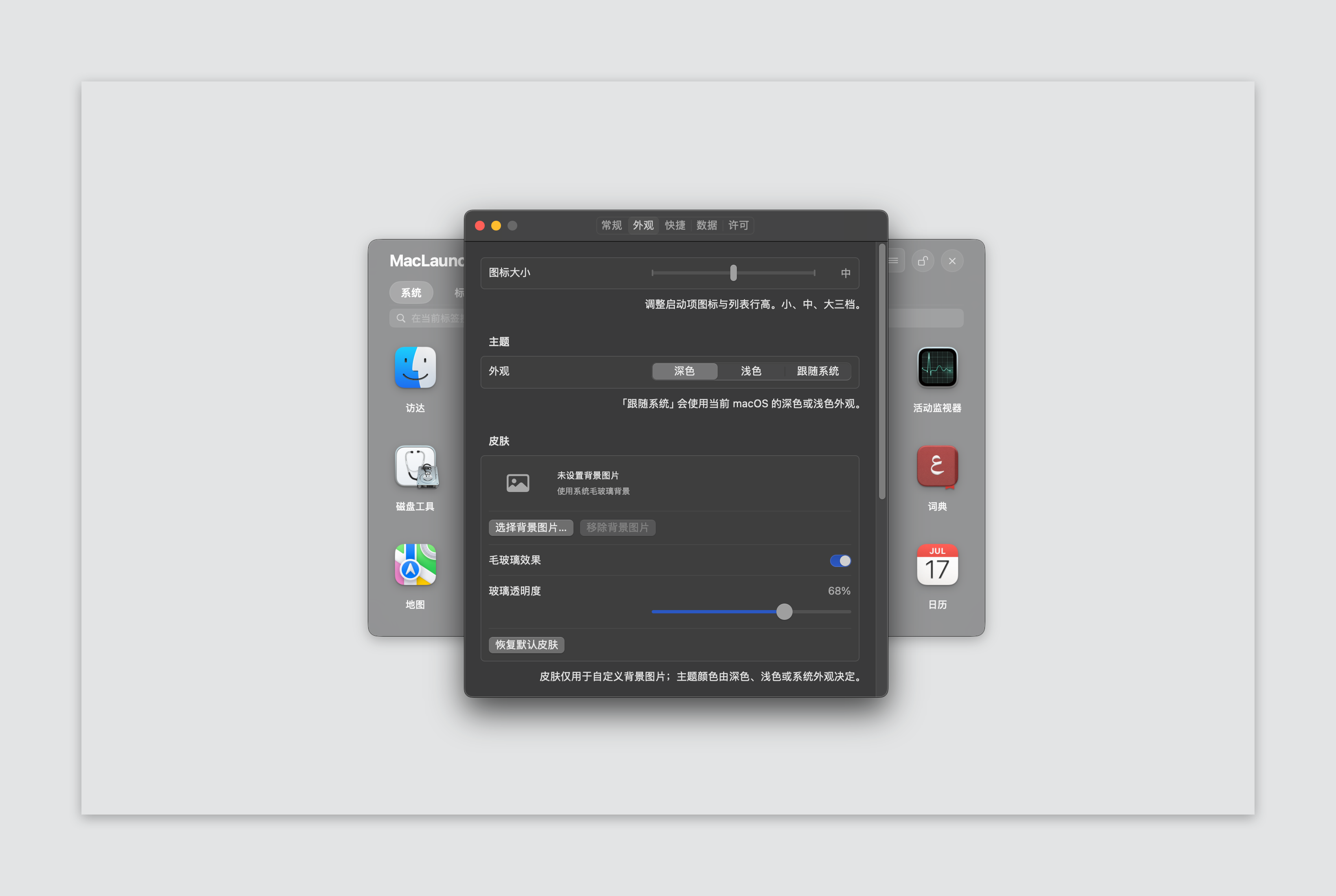
产品界面
主面板、文件夹菜单和设置界面围绕日常使用设计,适合长期放在菜单栏常驻。
Product interface
The panel, folder menu, and settings views are designed for everyday use from the menu bar.
上手
通过快捷键、屏幕边缘或鼠标侧键打开面板,切换到对应标签,直接启动常用内容。
Workflow
Open the panel with a shortcut, screen edge, or mouse side button, switch to the right tab, and launch what you need.
核心功能
MacLaunch 把桌面入口收拢到一个轻量面板,需要时出现,完成后离开。
Core features
MacLaunch brings your desktop entry points into one lightweight panel that appears only when needed.
按工作、学习或项目分组,并在标签内继续使用文件夹整理。
Group by work, study, or project, then organize further with folders inside each tab.
通过全局快捷键、屏幕边缘或可选鼠标侧键快速打开面板。
Open the panel with a global shortcut, screen edge, or optional mouse side button.
统一启动 App、文件、文件夹和网址,减少在 Finder 与浏览器中反复查找。
Launch apps, files, folders, and URLs without repeatedly searching Finder or your browser.
在网格与列表之间切换,并调整图标、外观和面板行为。
Switch between grid and list views and tune icons, appearance, and panel behavior.
为不同场景保存配置,支持导入、导出和恢复。
Save configurations for different contexts with import, export, and restore support.
Pro 可通过你的 Apple iCloud 账户同步配置;不开启时数据保留在本机。
Pro can sync settings through your Apple iCloud account; otherwise data stays local.
简单直接
Simple by design
拖入常用 App、文件和文件夹,或添加网址。
Drop in apps, files, and folders, or add a URL.
用标签页、文件夹和排序方式建立清晰结构。
Create a clear structure with tabs, folders, and sorting.
随时呼出面板,一次点击进入常用内容。
Reveal the panel anytime and open what you need in one click.
Free 与 Pro
Pro 为一次买断,实际价格以 App Store 购买页显示为准。
Free and Pro
Pro is a one-time purchase. The App Store purchase page shows the current localized price.
适合轻量使用,最多 2 个标签、每标签 8 个启动项。
For lighter use, with up to 2 tabs and 8 launch items per tab.
解锁完整本地能力、配置方案、鼠标侧键与 iCloud 配置同步。
Unlock full local features, profiles, mouse side buttons, and iCloud configuration sync.
MacLaunch 即将登陆 Mac App Store。
MacLaunch is coming soon to the Mac App Store.